
Tenorshare launched an interactive iOS 27 Upgrade-Downgrade Companion to assist users weighing the risks of Apple’s next OS, offering tailored recommendations for hesitant iOS 27 upgraders and providing a seamless, data-safe downgrade from iOS 27 to 26 solution.
HONG KONG, CH / ACCESS Newswire / June 13, 2026 / As Apple prepares to unveil iOS 27 at WWDC26, Tenorshare, a global software company specializing in iOS system repair and device management, today announced the launch of its iOS 27 Upgrade‑Downgrade Companion, an interactive web tool designed to help iPhone users decide whether to upgrade to the latest iOS 27 version or stick with their current iOS 26/18/17/16/15 setup.
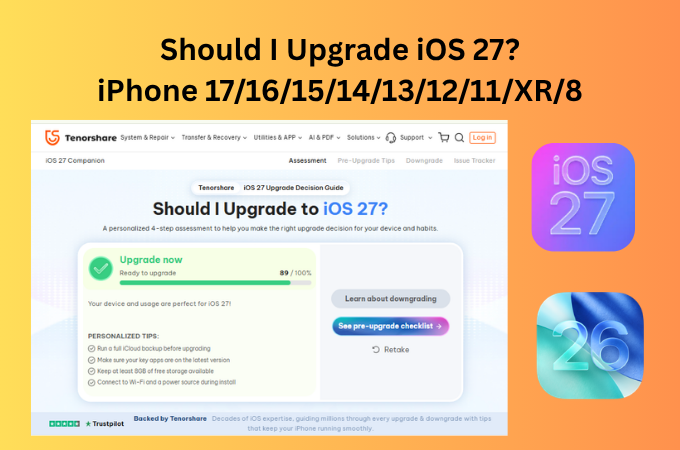
According to industry data, early major OS updates and beta phases frequently introduce performance trade-offs, making user hesitation common. If you’re on the fence about jumping onto iOS 27, Tenorshare’s iOS 27 upgrade-downgrade companion might just save your sanity. Instead of throwing generic advice at you, the iOS 27 companion actually takes the time to understand your specific setup.
Once you hop onto the iOS 27 upgrade-downgrade companion site, it walks you through a quick, personalized diagnostic: you just pick your exact iPhone model, choose your usage dependencies, the motivation for upgrading, upgrate habits, then the tool will analize the iOS 27 current risk and your demand, give you an fully rational upgrade recommendations ranging from “wait for a more stable version” to “ready to upgrade now.”
Tenorshare emphasizes that this iOS 27 companion web tool is completely free, requires no software download, no account registration, and does not insert any pop‑up ads during the decision‑making process. Its sole purpose is to help users make a more informed choice about which iOS version to use.
The iOS 27 upgrade-downgrade companion is ideal for:
-
Early Adopters & Beta Testers: Tech enthusiasts rushing to experience the latest iOS 27 UI and AI features immediately after WWDC26.
-
Hesitant Everyday Users: People who want the new features but fear the update will tank their battery, freeze their device, or break critical banking and work apps.
-
Regretful Upgraders: Anyone who jumped to the iOS 27 beta immediately regretted the system crashes and wants a headache-free “undo” button back to stable software.
iOS 27 Issue Tracker Panel: Confirmed & Predicted Problems with Workarounds
For users with eligible devices, early beta reports have highlighted concerns, including app crashes, system freezes, and severe battery drain. To address this, the Tenorshare ReiBoot iOS 27 Upgrade-downgrade companion embeds an iOS 27 issue tracking panel that is continuously updated based on community feedback and forum discussions. It categorizes issues into two main types: Confirmed and Predicted (high‑frequency). For each issue, the panel provides an actionable workaround, along with likely causes.
Currently documented issues include:
-
Abnormal battery drain – with causes and temporary fixes
-
Noticeable overheating while charging or using navigation – with causes and a workaround
-
Push notifications failing to appear or banners disappearing for some apps
-
Unstable CarPlay connection, frequent Wi‑Fi disconnections, and other common problems, each paired with a practical workaround.
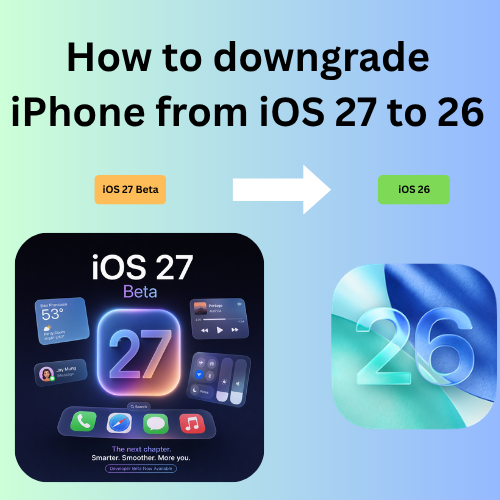
However, if you regrat to iOS 27, it’s possible to downgrade from iOS 27 to 26. Restoring iOS 27 via iTunes is notoriously hostile to non-technical users. More importantly, a standard iTunes restore wipes all personal data from the device, and the process is frequently plagued by cryptic technical error messages like “Error 4013.”
Tenorshare ReiBoot provides an all-in-one workaround for iOS 27 upgrade/downgrade, fixes 150+ iOS 27 bugs, bypassing the painful data wipe inherent to iTunes.One-Click Downgrade from iOS 27 to 26 helps users no longer need to hunt for individual firmware packages online. ReiBoot instantly recognizes the specific connected iPhone model, matches it with the correct signed iOS package, and handles the installation entirely automatically.
Step 1. Download and launch Tenorshare ReiBoot on your PC or Mac, then link your iPhone using a USB cable.
Step 2. Choose either the “Downgrade from iOS 27 to 26” option. It will immediately retrieve the certified firmware matching your device.
Step 3. Wait for 15-20 minutes, ReiBoot can help your device downgrade from iOS 27 to 26 successfully.
About Tenorshare
Tenorshare Reioot powered by an integrated iOS repair suite, supports upgrading iOS 27 on iPhone 17/16/15/14/13/12 ect, and 1-click downgrade from iOS 27 to 26, automatically neutralizes over 150+ common iOS/Android system glitches-such as getting stuck on the Apple logo or falling into an infinite recovery loop-that frequently brick devices during standard iTunes execution. With 18 years of experience serving millions of users worldwide, Tenorshare focuses on building practical tools that simplify everyday digital challenges.
Company Information
Company: Tenorshare Co.,Ltd
Contact Person: Emma Clare
Email: info@tenorshare.com
Website: https://www.tenorshare.com/products/reiboot.html
SOURCE: Tenorshare Co.,Ltd
View the original press release on ACCESS Newswire


